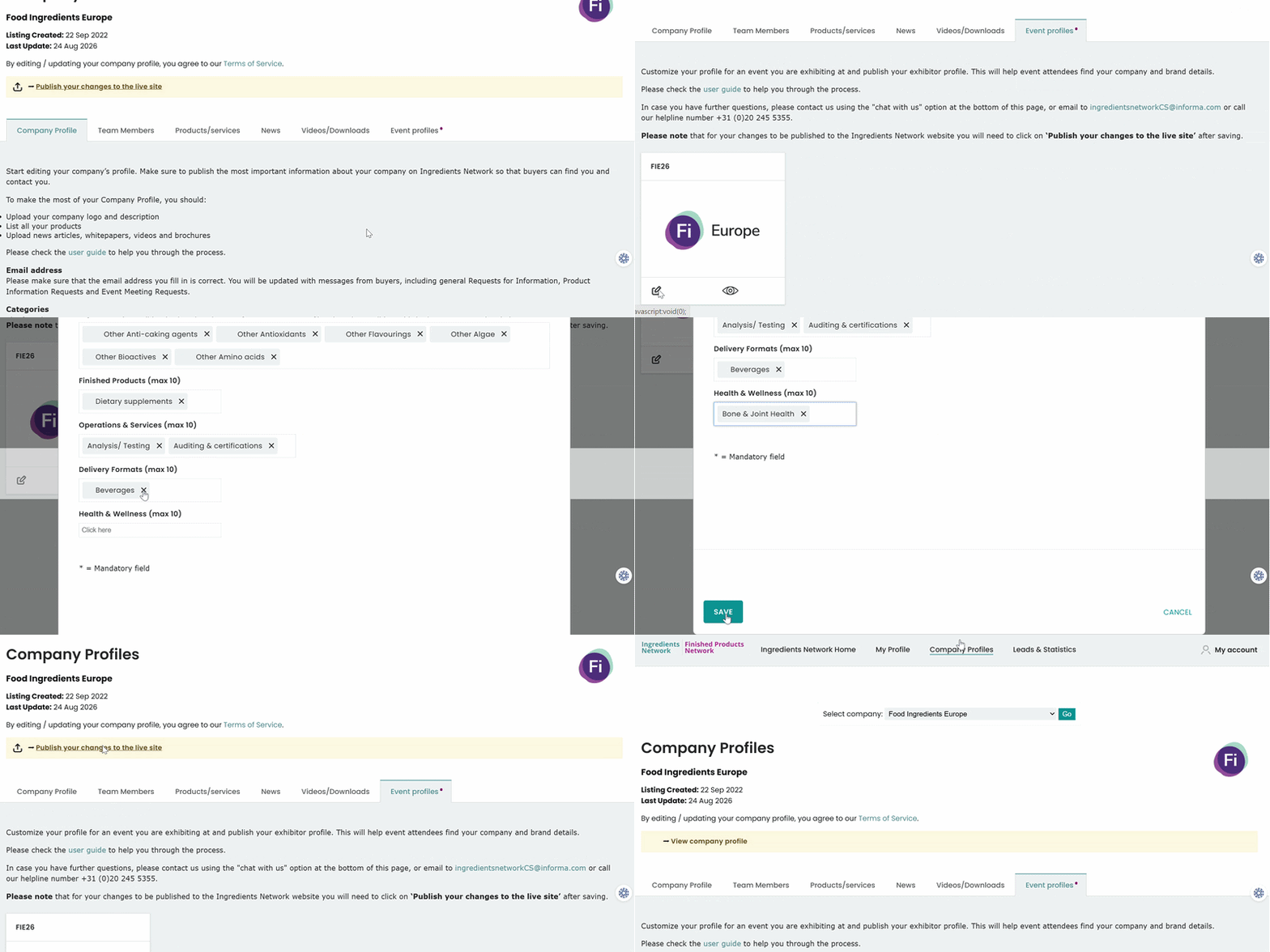
Go to Event Profiles
Click the pencil icon to edit/add the below fields -
- Exhibiting Name
- Description on Website
- Logo
- Products
- Ingredients
- Finished Products
- Health & Wellness Areas
- Delivery Formats
- Operations & Services
Then click on Save and Publish your changes to the live site.
Logo Tip: Only update your logo if you want a different one than what's on your Ingredients Network
profile.
Was this article helpful?
That’s Great!
Thank you for your feedback
Sorry! We couldn't be helpful
Thank you for your feedback
Feedback sent
We appreciate your effort and will try to fix the article